Nexus Reports: Motion Capture Reporting Software

Nexus Reports is a motion capture reporting tool built into the Vicon Nexus ecosystem. It turns 3D motion capture and biomechanical data into customizable, shareable reports for clinical gait labs, research institutes and sports performance teams, without exporting to third-party software.

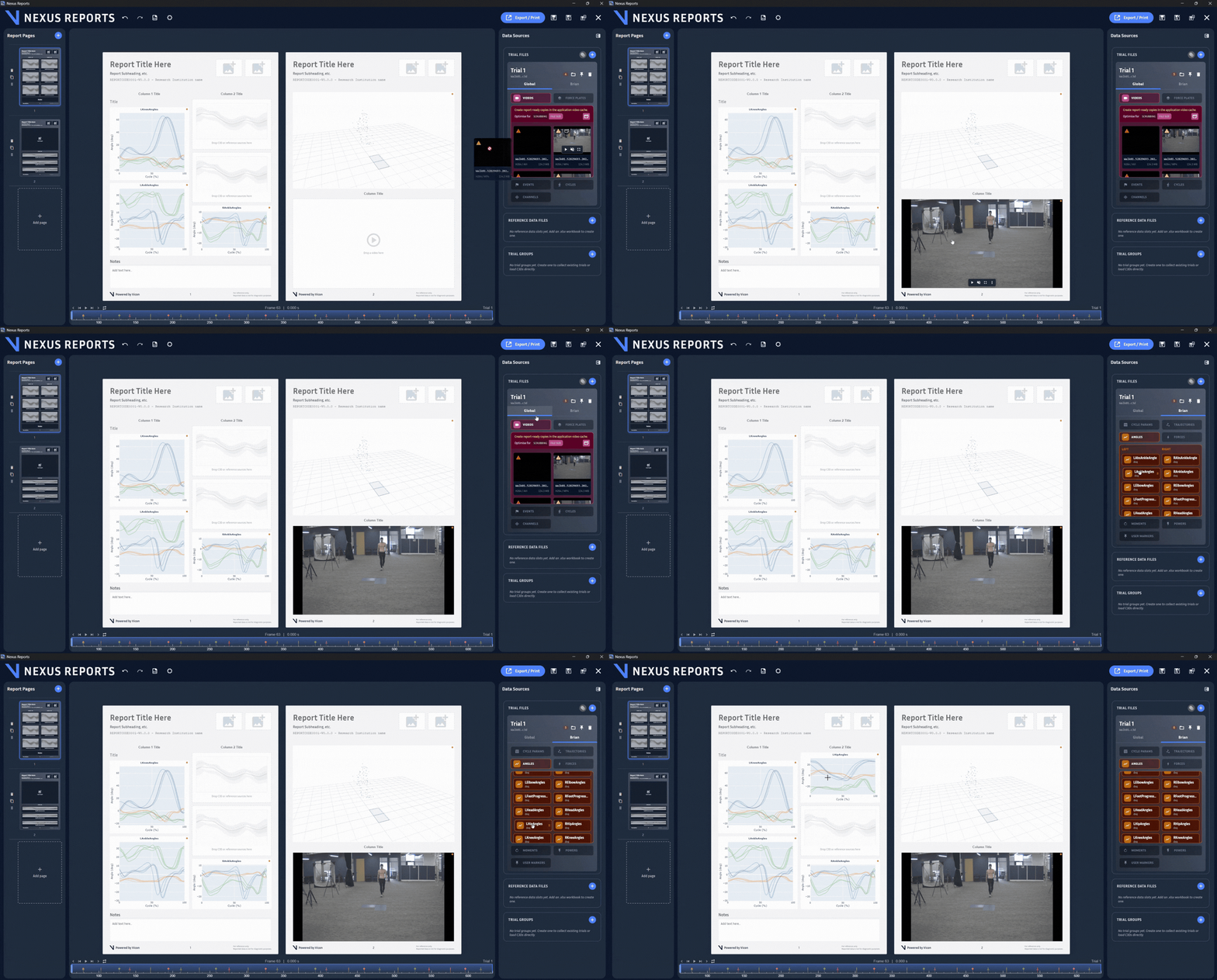
Choose your own layouts and objects, graphs, images, videos, 3D data, and text. Build from scratch or start from a template so the report reflects how your lab works.
PDF export means what you build is exactly what your team, patients, or referrers see. No reformatting, no surprises.
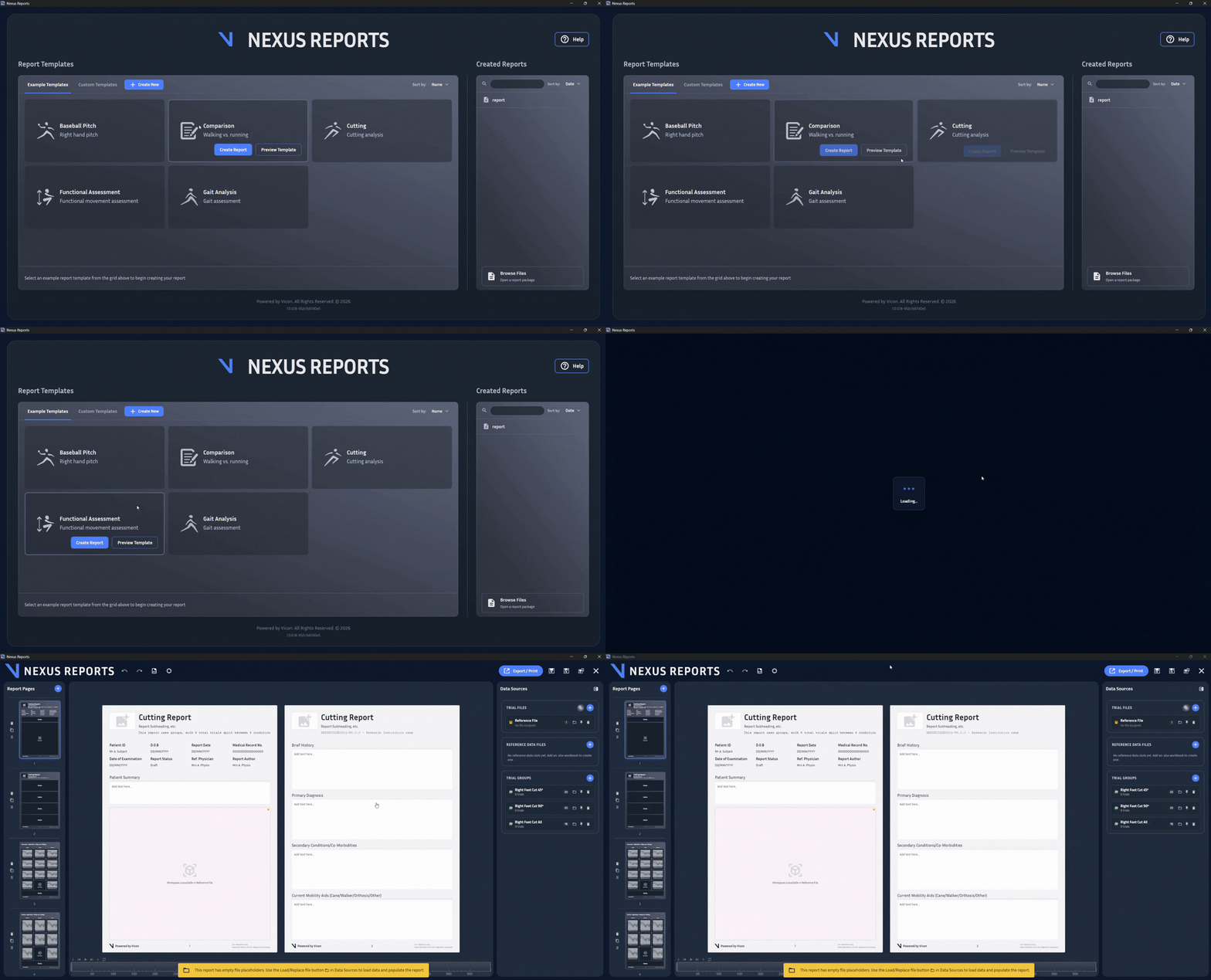
Ready-made templates for Gait Analysis, Functional Movement, Cutting, Baseball Pitch, and Comparative mean any team member can produce a professional report in minutes.
An intuitive, drag-and-drop interface lets any operator make changes confidently, no manual required.
Report directly from Nexus data management. No third-party tools, no exporting, no app-switching.
Every operator, regardless of skill level, gets full control to build a professional report, no advanced training needed.
Build fully customizable reports from the ground up. Choose your own layouts and objects (graphs, images, video, 3D data, and text) so the report reflects how your lab works, not how a template dictates.
Annotate any section with expert notes that stay with each patient report, and embed external reference files like scans or images directly alongside your data.
Subject metadata, height, weight, and more are imported automatically from data capture, so there’s no re-entry, and nothing gets lost between systems.
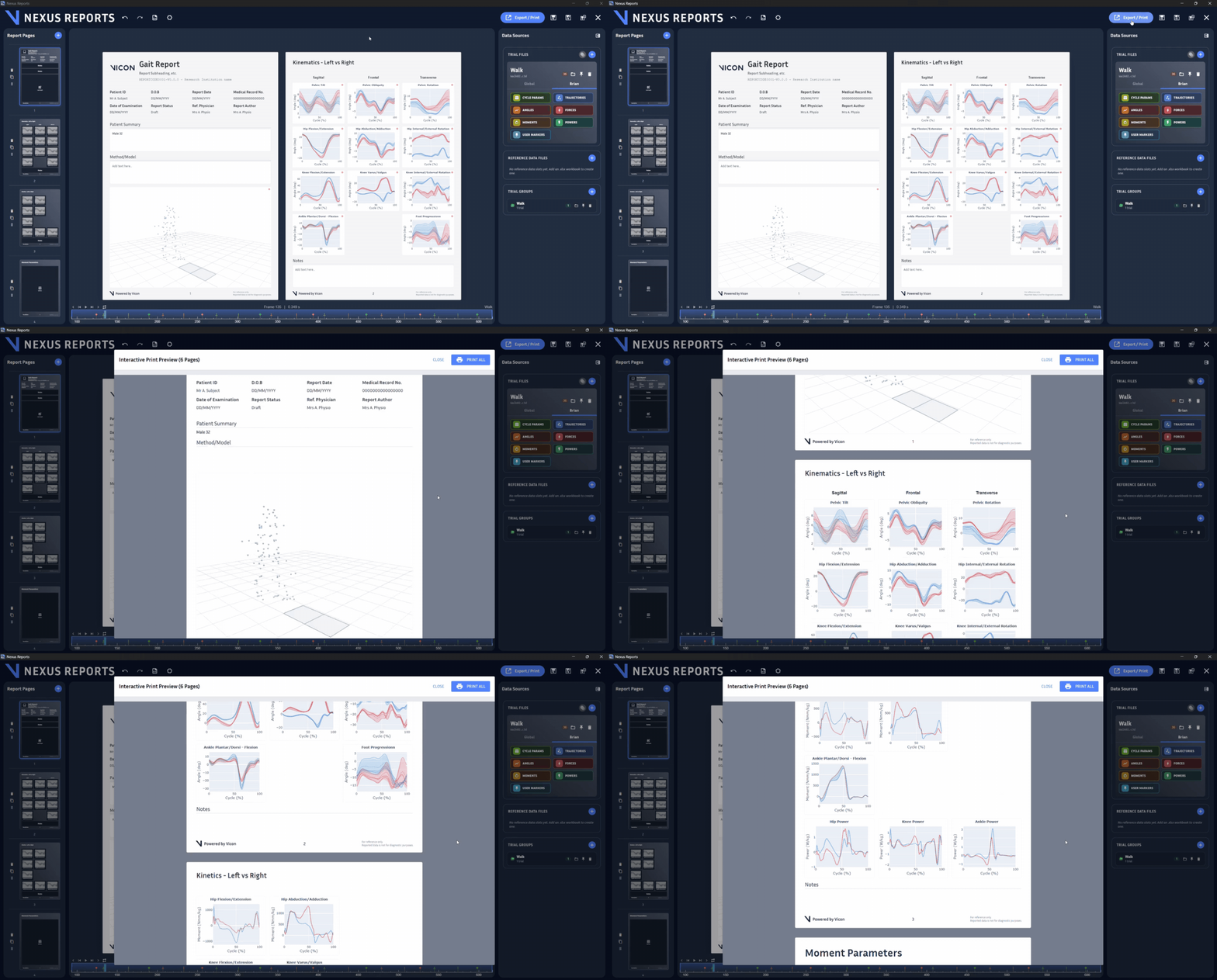
Export clear, accurate reports to share and analyze with your team for a confident, data-driven assessment. Formatted exactly as built, no reformatting, no surprises.
Combine graphs, images, videos, and 3D data into a single shareable PDF, with any external reference files included in the export.
A clean, professional report doesn’t just present data; it protects the clinician’s credibility and speeds up the next decision, whether that’s a treatment plan, a surgical referral or a change in physio program.
Pre-engineered templates are processed within the same ecosystem for faster, more reliable reporting, so any team member can produce a professional report, regardless of experience.
Subject metadata auto-populates from capture, removing manual transcription, while ready-made templates cover Gait Analysis, Functional Movement, Cutting, Baseball Pitch, and Comparative out of the box.
Launch reporting directly from Nexus data management, end-to-end in the Nexus ecosystem, with no third-party tools and no delayed post-processing.
Built for the people who capture, interpret, and act on motion analysis data every day.
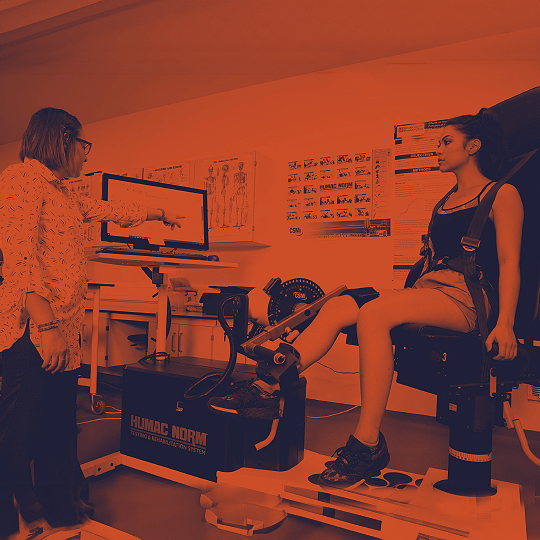
Day-to-day operators of the motion capture system and the team’s main report generators. Nexus Reports gives you templates and automation that turn capture into a finished report in minutes.

The primary readers of every report are used in patient consultations and to shape treatment plans. Nexus Reports gives you a clear, professional document you can stand behind in every conversation.
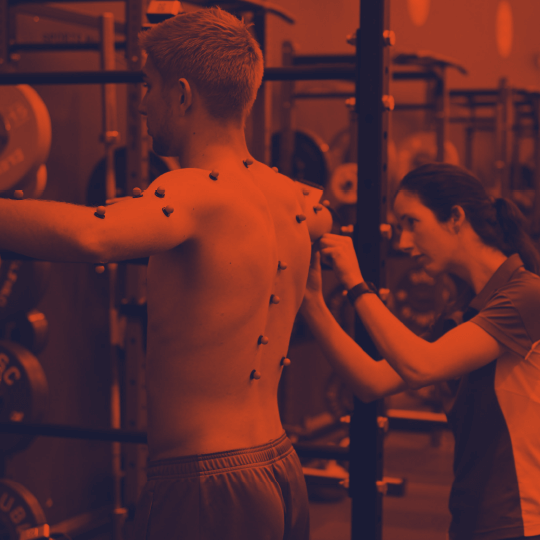
Publishing and presenting motion analysis data to a wider audience. Nexus Reports combines graphs, 3D data, and annotations into one export-ready document, built for sharing beyond the lab.
Get in touch today to gain access to Nexus Reports.
Nexus Reports 1.0
File Name: NexusReports-1.0.0+24b
Nexus Reports 1.0 is Vicon’s next generation motion capture reporting tool built into the Vicon Nexus ecosystem. It turns 3D motion capture and biomechanical data into customizable, shareable reports for clinical gait labs, research institutes and sports performance teams, without exporting to third-party software.
Key Benefits:
* Customization: Nexus Reports gives you the control and flexibility to build fully customizable reports from the ground up
* Sharing: Easily export clear, accurate reports you can share and analyze with your team to make the best data-driven assessments
* Save Time: Use easily accessible, pre-engineered templates that can produce reports quickly and efficiently and all within the same ecosystem for faster and more reliable integration within your existing workflows
Requirements
* Nexus Reports license
* Windows 11 PC
Nexus Reports is a customizable motion capture reporting solution built directly into the Vicon Nexus ecosystem. It transforms complex biomechanical data, graphs, images, video, 3D data, and text into clear, professional reports you can share with your team, referring clinicians, and patients without leaving Nexus.
Nexus Reports is designed for gait laboratories, research institutes, academic centers, and sports performance teams, anyone who needs to turn motion capture data into fast, tailored, shareable reports. It’s built so every member of your team can produce a professional report, regardless of their experience level.
Three things set it apart:
Fully customizable: build reports from the ground up with your choice of layouts, graphs, images, video, 3D data, and text. Design reports that reflect how your lab works, not how a template tells you to work.
What you build is what you share: reports export exactly as you designed them. No reformatting, no surprises.
Everything in one ecosystem: because reporting happens inside Nexus, there’s no need to export data to third-party tools like MATLAB or Python to build a usable report. That means faster post-processing and fewer bottlenecks in your workflow.
Yes. Nexus Reports includes a pre-engineered gait analysis template, and you can build fully customized gait reports combining kinematic and kinetic graphs, video, 3D data, and clinical notes in a single PDF export.
No. Nexus Reports has an intuitive drag-and-drop interface, and pre-engineered templates mean any operator can produce a consistent, professional report without specialist training.
Nexus Reports launches with pre-engineered templates including gait analysis, functional movement, cutting (change of direction), comparative, and baseball pitching, with more planned based on customer feedback.
Yes. Nexus Reports is launched directly from Nexus data management, so subject metadata and capture data carry across automatically, no exporting or re-entry required.
No. Nexus Reports is a reporting and documentation tool that helps teams organize, present and share motion analysis data. It is not a medical device and is not intended for diagnostic or therapeutic use.
Nexus Reports is built on everything we’ve learned from both tools; it’s easier to use, more customizable, and actively maintained and developed. Get in touch with your account manager to talk through moving your existing reports over.
| Current release version | Windows 10 | Windows 7* | Linux | OSX |
| Shōgun 1.4 | 64 bit | x | x | x |
| Nexus 2.10.3 | 64 bit | x | x | x |
| Tracker 3.7.0 | 64 bit | x | x | x |
| Polygon 4.4.6 | 64 bit | x | x | x |
| Capture.U Desktop | 64 bit | x | x | 10.12 |
| CaraLive 1.3.0 | 64 bit | 64 bit* | x | x |
| CaraPost 1.2.0 | 64 bit | 64 bit* | x | x |
| Pegasus 1.2.2 | 64 bit | 64 bit* | x | x |
| ProCalc 1.3.0 | 64 bit | x | x | x |
| ProEclipse 1.3.1 | 64 bit | 64 bit* | x | x |
| DataStream SDK 1.10.0 | 64 bit | x | 64 bit | 10.11 |
| Bodybuilder 3.6.4 | 64 bit | 64 bit* | x | x |
Please do note:
1. Open the Network and Sharing Center and navigate to Change Adapter Settings. Vicon Vantage/Vero cameras are designated to one port. For each Vue (or Bonita Video) camera connected, there will be additional network port used.
2. Right click on the proper port and go into the Properties. The Local Area Connection Properties window will open. Make sure only Internet Protocol Version 4 (TCP/IPv4) is selected.
3. Select Internet Protocol Version 4 (TCP/IPv4) from the list and select Properties to assign the proper IP address.
a .Vantage/Vero cameras will have the following IP Address: 192.168.10.1 and Subnet Mask of: 255.255.255.0
b. The first VUE camera will have the following IP Address: 192.168.10.2 and Subnet Mask of 255.255.255.0
c. Any additional VUE cameras the last IP value is incrementally increased by one. For example, the second VUE camera will be 192.168.10.3.
Select OK to close out of the Internet Protocol Version 4 (TCP/IPv4) Properties. And OK again to close out of the Local Area Connection Properties. This will make sure all changes have been saved.
4. Feel free to rename the network port so it is easily identifiable. Such as ViconMX, VUE1 or VUE2
For further assistance please refer to the Configuring Ports section of the PCSetupforViconSystems.pdf found in Downloads > Documentation
Nexus Insight documentation
Visit the Nexus Insight documentation pages, for information including:
Nexus Reports 1.0
File Name: NexusReports-1.0.0+24b
Nexus Reports 1.0 is Vicon’s next generation motion capture reporting tool built into the Vicon Nexus ecosystem. It turns 3D motion capture and biomechanical data into customizable, shareable reports for clinical gait labs, research institutes and sports performance teams, without exporting to third-party software.
Key Benefits:
* Customization: Nexus Reports gives you the control and flexibility to build fully customizable reports from the ground up
* Sharing: Easily export clear, accurate reports you can share and analyze with your team to make the best data-driven assessments
* Save Time: Use easily accessible, pre-engineered templates that can produce reports quickly and efficiently and all within the same ecosystem for faster and more reliable integration within your existing workflows
Requirements
* Nexus Reports license
* Windows 11 PC
Nexus Reports is a customizable reporting solution built directly into the Vicon Nexus ecosystem. It transforms complex biomechanical data, graphs, images, video, 3D data and text, into clear, professional reports you can share with your team, referring clinicians and patients, without leaving Nexus.
Nexus Reports is designed for clinical gait laboratories, research institutes, academic centers, and sports performance teams, anyone who needs to turn motion capture data into fast, tailored, shareable reports. It’s built so every member of your team can produce a professional report, regardless of their experience level.
Three things set it apart:
No. Nexus Reports has an intuitive drag-and-drop interface, and pre-engineered templates mean any operator can produce a consistent, professional report without specialist training.
Nexus Reports launches with pre-engineered templates including gait analysis, functional movement, cutting (change of direction), comparative, and baseball pitching, with more planned based on customer feedback.

Data capture software designed for life sciences. With Nexus you can integrate inertial and markerless into your optical motion capture system.